
Trips recorded automatically
No typing of addresses and kilometres.
The GPS tracker records every trip with date, start and end address and kilometres. The driver adds the purpose, and the log can be exported whenever your accountant or the tax authority asks.
The tracker records the time and start address.
12:40 · ValbyGPS follows the trip and counts the kilometres.
8.4 kmThe worker’s tag in the van shows who drove.
Mads K.The driver or the office marks business or private.
Business · Site AReady for your accountant and the tax authority.
⇣ Excel · PDFThe Danish Tax Agency does not approve specific systems. The requirement is that the log contains the right information for each business trip:
Date · start and end address · purpose of the trip · kilometres driven · total kilometres for the period.
IFAPP records date, addresses and kilometres automatically. The purpose is added in a couple of clicks.
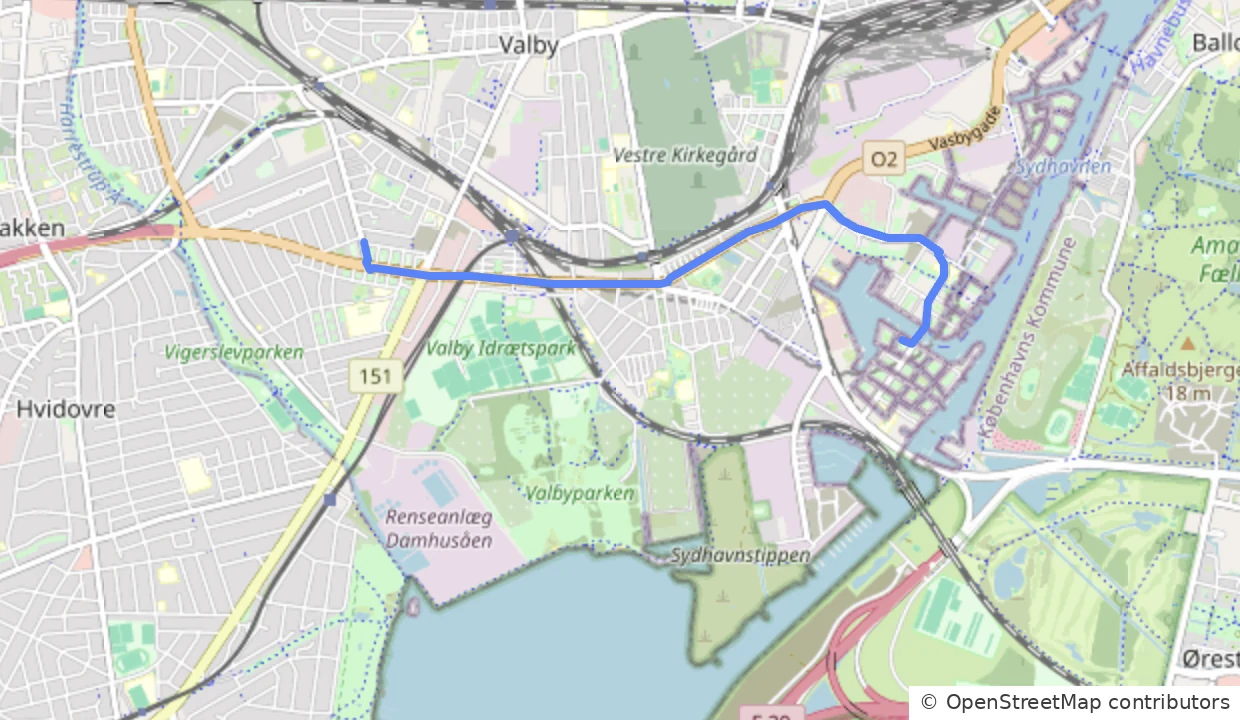
Open a trip and see exactly where the van went. The route is stored with start, end and kilometres, so there is never doubt about what is in the log.
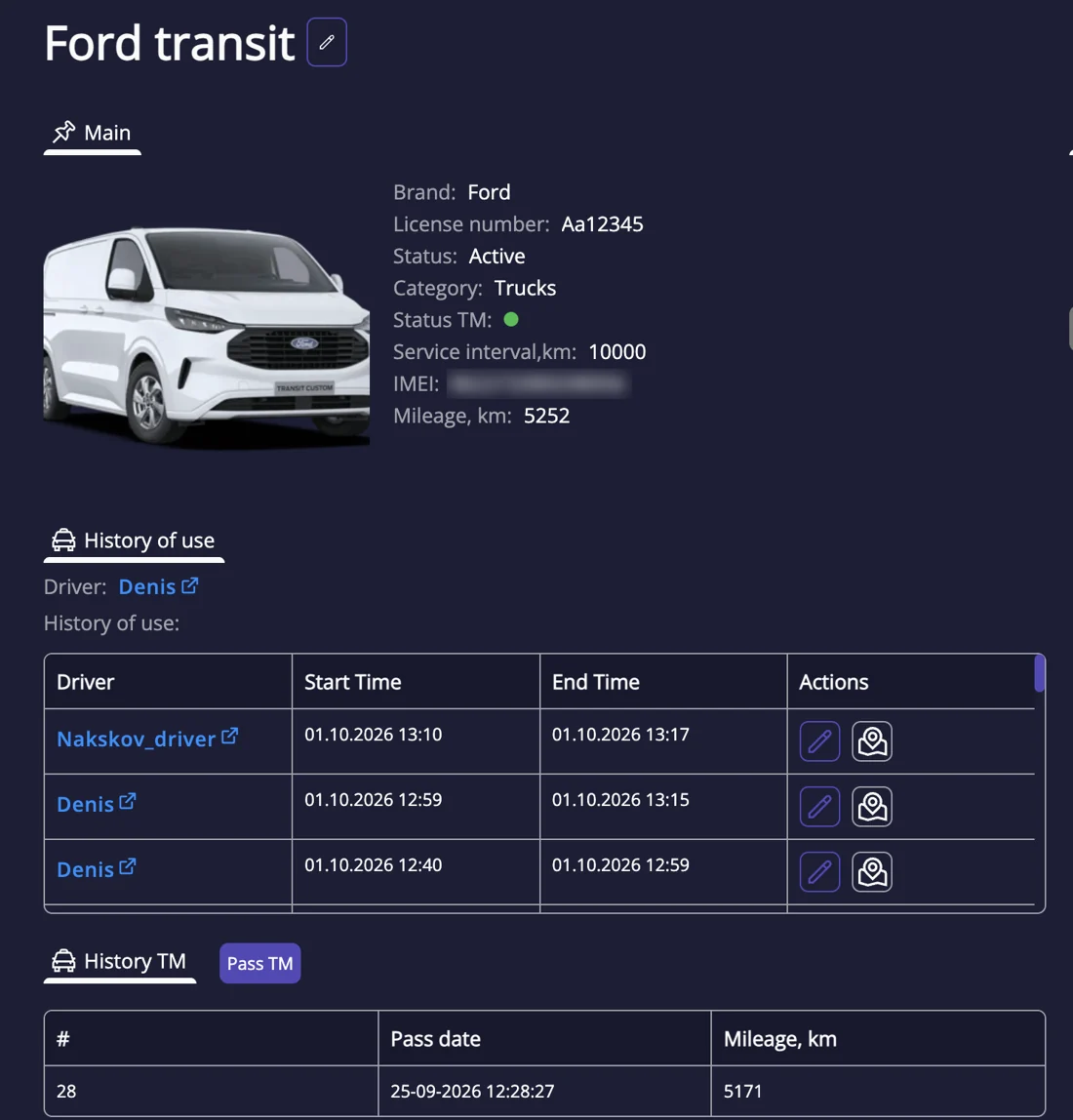
The vehicle card shows the history of the van: which driver drove, when each trip started and ended, and the mileage. When the service interval gets close, IFAPP tells you.
No typing of addresses and kilometres.
Mark trips as business or private so they are kept apart.
Export the log to Excel or PDF for any period you need.
The tax agency does not approve systems, but sets requirements for the content: date, addresses, purpose and kilometres. IFAPP records that information, and the driver adds the purpose.
No. The same GPS tracker used for fleet management creates the log. There is no extra price – all features are included.
Tell us briefly about your vehicles, people and sites. We call you back, visit you and show your own working day on the map. The meeting is free and without obligation.